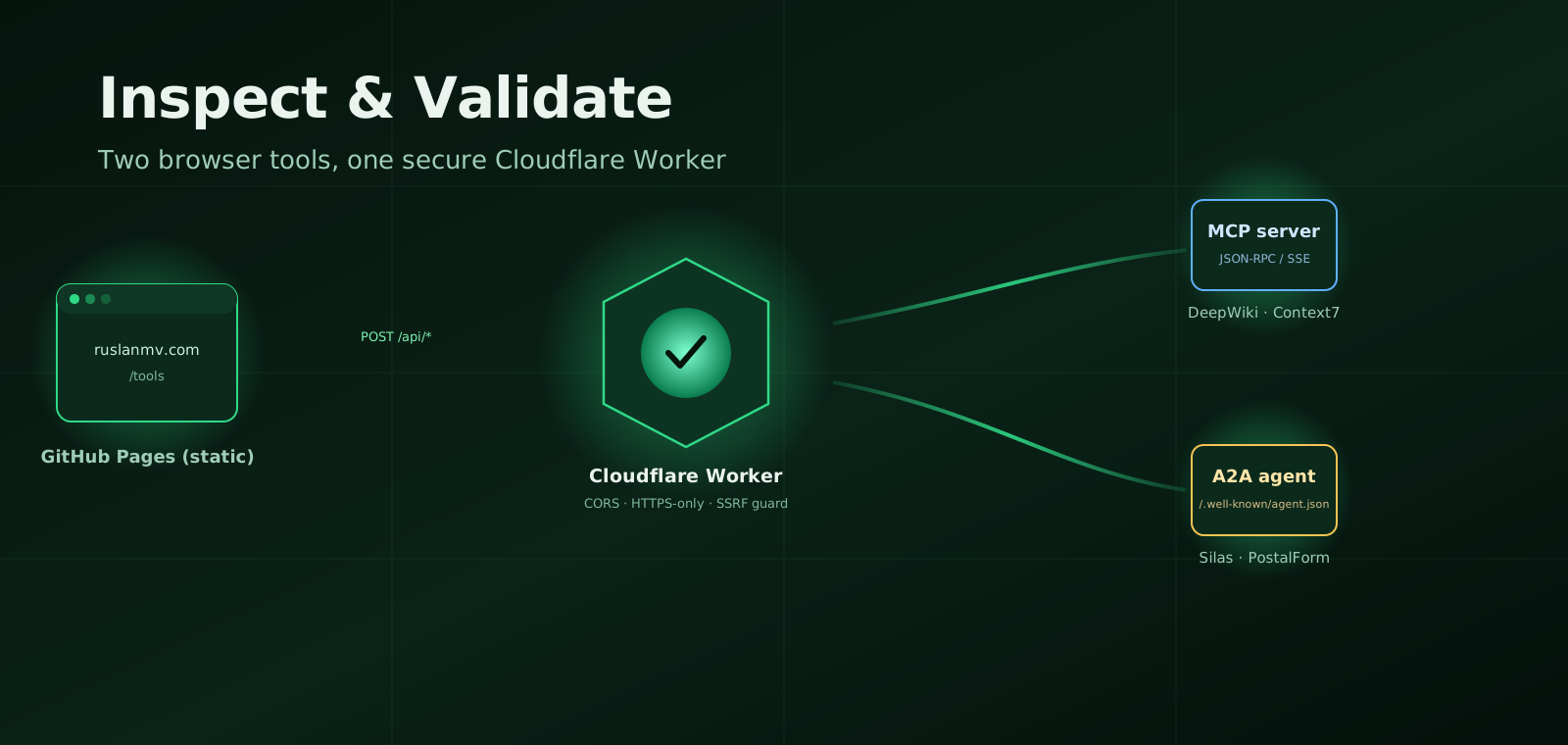

Inspecting MCP and A2A Agents
Building with agentic AI right now feels a bit like the early days of the web. The protocols are shifting beneath our feet, and two in particular are quietly becoming the underlying plumbing: Model Context Protocol (MCP), which links AI models to data sources and tools, and Agent-to-Agent (A2A), which lets separate AI entities discover and talk to one another.
On localhost, everything is easy. But the moment you expose an MCP server or an A2A agent to the open network, reality hits. Your browser starts blocking requests over CORS. You realize you can’t embed a bearer token in static HTML without leaking it. And debugging a half-formed agent card becomes an exercise in tracing silent failures.
To make that process more human, I built two lightweight, free browser tools to handle the heavy lifting: the MCP Server Inspector and the A2A Agent Validator. Here’s how they work under the hood — and how they solve the security headaches unique to remote agent testing.
The architecture: why a static page needs a thin backend
Host a debugging tool on a static platform like GitHub Pages and you hit an immediate wall. A browser simply cannot bypass cross-origin restrictions, safely hold an API secret, or shell out to a command line.
Rather than build a heavy, stateful app to get around that, I paired the static frontend with a hardened Cloudflare Worker acting as an intelligent intermediary. The division of labor is clean: the browser owns the UI, the Worker owns the network.
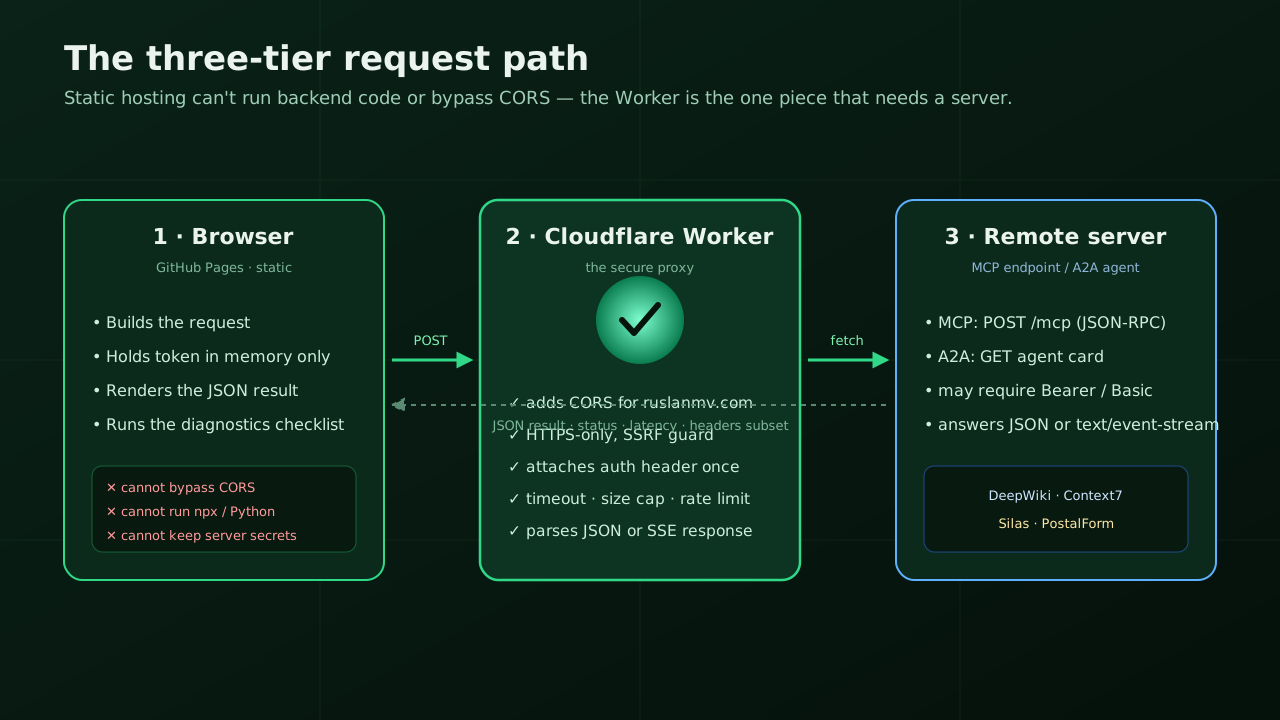
The Worker is deliberately an ephemeral pipe. It operates in memory, blocks localhost and private IP ranges to prevent server-side request forgery, rejects unencrypted targets, caps sizes and timeouts, and never logs or retains your tokens. One job, done safely.
Inside the MCP Server Inspector
The Inspector splits along a simple line: where your server actually lives.
Local servers. If your MCP server runs as a local stdio process, a remote web app has no business reaching into it — so the tool doesn’t try. Instead it becomes a configuration builder: you supply your paths and environment variables, and it hands back a clean command to run yourself.
npx @modelcontextprotocol/inspector \
  -e MCP_AUTH="Bearer YOUR_TOKEN" \
  -e MCP_SERVER_URL="https://your-mcp-server.example.com/mcp" \
  /path/to/venv/bin/python -m mcpgateway.wrapper
Remote servers. For live HTTP endpoints, the Worker drives the standard MCP lifecycle — Initialize → List Tools → Call Tool — and shows you the status, latency, and transport for each step.
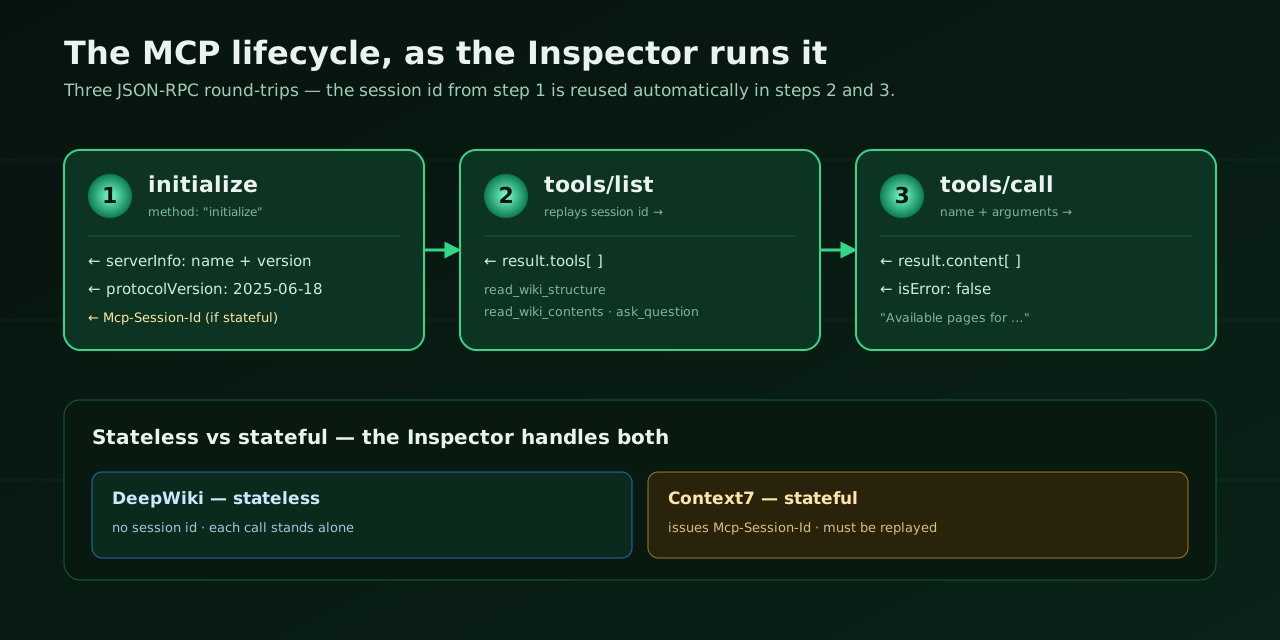
initialize is captured and replayed automatically on the calls that follow.That session handling is the part that quietly saves you. Testing against DeepWiki (a public MCP server that reads GitHub repos), the calls are stateless — each stands alone. But production servers like Context7 issue a unique Mcp-Session-Id during initialization and reject anything that doesn’t carry it. The Inspector catches that header and threads it through every later call, so a stateful server never locks you out. And when something upstream misbehaves, a built-in Diagnostics panel grades the failure against a plain checklist: TLS, reachability, and response validity.
Spotting faults with the A2A Agent Validator
A2A is all about discovery. An agent announces itself with a public file at /.well-known/agent.json (or the emerging agent-card.json), and the Validator’s job is to fetch that file and check it against the protocol’s structural rules — the foundational fields, the skills array — while staying flexible about custom extensions.
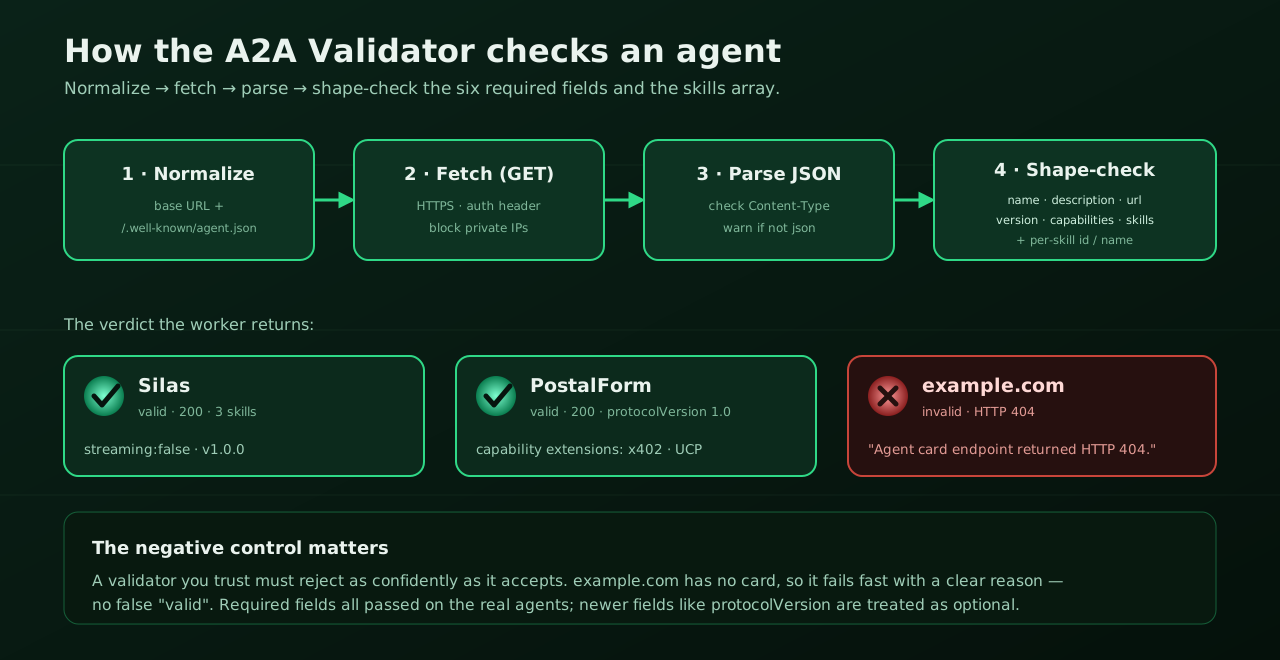
Pointed at the public A2A registry, the tool surfaces how differently real agents present themselves. A minimal agent like Silas returns a clean schema — explicit skills, zero warnings, open auth. An enterprise agent like PostalForm shows how far the protocol stretches, advertising machine-payment extensions and very specific commerce capabilities.
But a validator earns trust by how it rejects, not just how it accepts. Feed it a non-agent URL like example.com and it returns an immediate, explicit 404 — not a vague timeout — proving the parsing layer can tell an unconfigured endpoint from a broken one.
Try it on the wire
These protocols make a lot more sense once you watch the raw data move. Both tools are live:
- Point the MCP Server Inspector at
https://mcp.deepwiki.com/mcpand watch the three-step initialize-and-call loop happen in real time. - Drop
https://silas.sylex.aiinto the A2A Agent Validator to see how an agent presents its skills — then tryexample.comto see a clean failure.
By letting an ephemeral backend handle the proxying and token isolation, you get the speed of a web tool without giving up basic network security. The workflow stays clean, visual, and simple — which, when you’re debugging agents at 2 a.m., is the entire point.
Protecting one of these endpoints yourself? The companion piece on authentication for MCP and A2A covers Bearer, Basic, and OAuth patterns — and the Auth Generator mints secure tokens and ready-to-paste configs.
Leave a comment