
Create Your First Project with GitPilot — Build a Tiny AI Coder You Can Run Today
Who this is for: anyone who can write one English sentence about what they want to build. No computer-science degree required. By the end you will have run a real AI coder on your own machine — it writes a program and executes it in front of you — and you’ll understand exactly how a tool like GitPilot works.
The problem with most “AI coders”
Most AI coding tools are a single model behind a chat box. You type, it dumps a wall of code, and you cross your fingers. If you are new to programming, that is terrifying: you can’t tell what’s safe, what’s broken, or what just got overwritten.
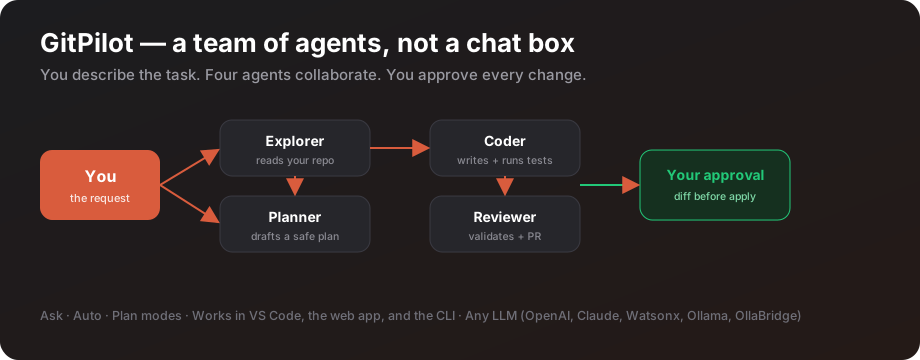
GitPilot — by Ruslan Magana Vsevolodovna — takes a different path. It is the first open-source, multi-agent AI coding assistant. Instead of one model guessing, it runs a team of four specialists, the way a real engineering team works:
| Agent | What it does for you |
|---|---|
| Explorer | Reads your whole repo, git history, and tests, so the plan starts from facts |
| Planner | Writes a clear, step-by-step plan you can read before anything changes |
| Coder | Writes the code, runs your tests, and fixes itself when they fail |
| Reviewer | Double-checks the result and drafts the commit message and pull request |
The golden rule: you stay in charge. GitPilot shows you the plan, shows you the diff, runs the tests — and waits for your “yes” before touching anything.
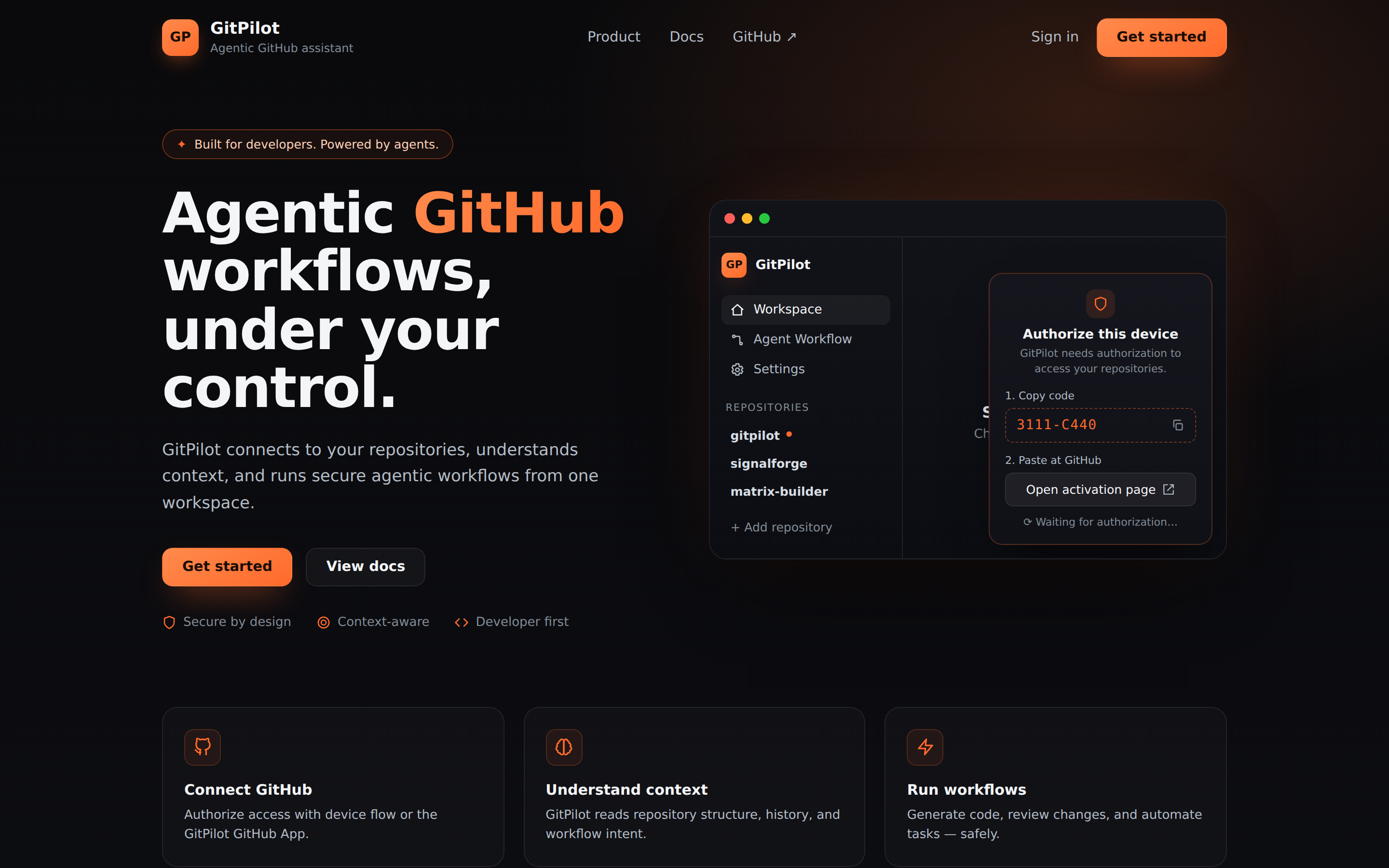
In the second half of this post we’ll build a miniature version of that idea ourselves — a tiny AI coder you can run today — so the magic stops being magic.
Part 1 · Try the real GitPilot (2 minutes)
Install it
pip install gitcopilot      # the command is gitpilot; the PyPI name is gitcopilot
gitpilot serve
Open http://localhost:8000. (Python 3.11 or 3.12 required.) Prefer Docker or VS Code? docker compose up runs the full web app, and “GitPilot Workspace” is on the VS Code marketplace. No install at all? Use the live demo on Hugging Face.
Connect GitHub
- Create a token: github.com/settings/tokens/new?scopes=repo,user:email → copy the
ghp_...value. - Add it to your config and restart:
cp .env.template .env
echo "GITPILOT_GITHUB_TOKEN=ghp_your_token_here" >> .env
Create a project in one sentence
Pick a repo, then describe what you want:
You: "Create a Flask app with app.py, requirements.txt, and a README."
What happens next is visible at every step — the difference between trust and fear:
→ Explorer reads the repository context
→ Planner drafts a step-by-step plan
→ The plan appears:  [ Approve & Execute ]  [ Dismiss ]
→ You approve → Coder generates the files
→ The app shows:  [ Apply Patch ]  [ Revert ]
→ You click Apply Patch → files written → tests run → Reviewer drafts the PR
A little selector controls how much freedom you grant — Ask (approve each action), Auto (run freely), or Plan (read-only, zero risk). Start in Ask.
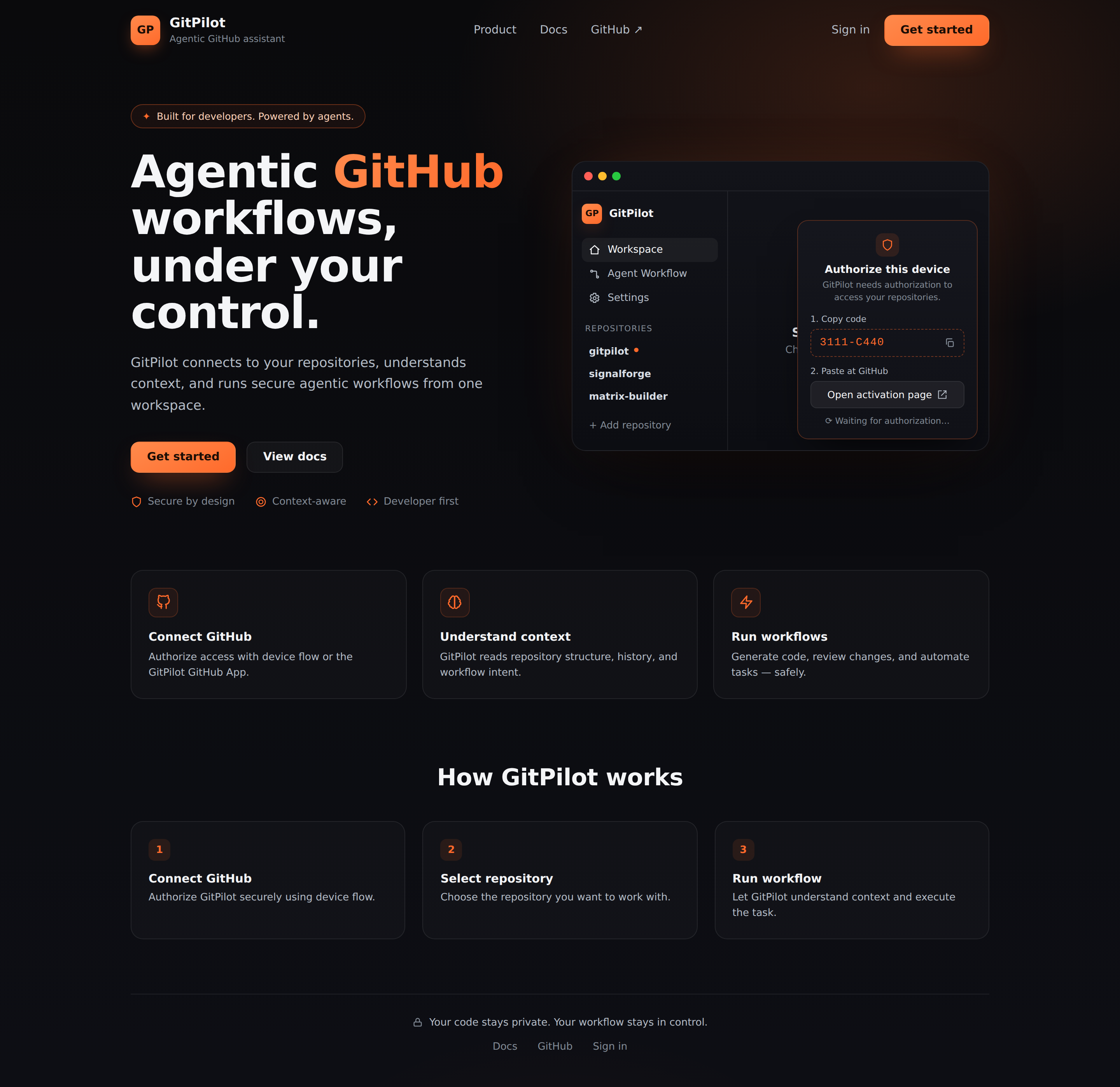
Any LLM, zero lock-in. GitPilot works with OpenAI, Claude, watsonx, local Ollama, or OllaBridge — switch in settings, never change your code. That’s exactly the gateway we’ll use next.
Part 2 · Build your own tiny AI coder (hands-on)
Now let’s pull back the curtain. We’ll build a ~60-line program that does the core thing every AI coder does:
describe → write the files → run them → show the result.
Our model “brain” will be OllaBridge Cloud — an OpenAI-compatible router: one URL that picks the best model for you (with failover) behind friendly names like free-best. No API keys to juggle.
Get the complete, tested code: every file below is on GitHub Gist — gist.github.com/ruslanmv/d311931298110f5290c61f16ac97cf5b. Download all five files into one folder and follow along.
Step 0 · Pair with OllaBridge Cloud
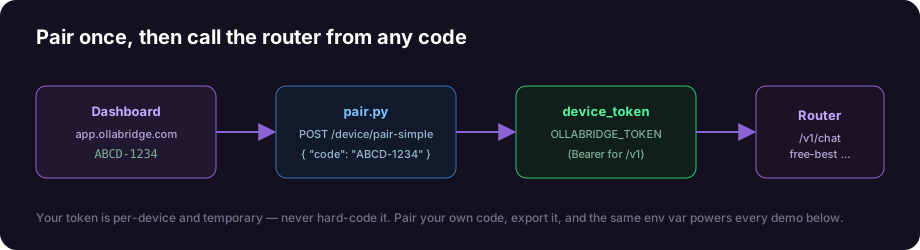
OllaBridge Cloud links your machine with a short pairing code.
-
Go to app.ollabridge.com → Dashboard → Pair a device. You’ll see a screen like this:
Device Pairing Pairing Code: ABCD-1234 Server URL: https://app.ollabridge.com Waiting for device… expires in 9:52 -
We’ll exchange that code for a token with a tiny helper. Save it as
pair.py:
# pair.py — turn a pairing code into a device token (standard library only)
import argparse, json, sys, urllib.request

def pair(code: str, base_url: str) -> dict:
    body = json.dumps({"code": code}).encode("utf-8")
    req = urllib.request.Request(
        f"{base_url.rstrip('/')}/device/pair-simple",
        data=body, headers={"Content-Type": "application/json"}, method="POST")
    with urllib.request.urlopen(req, timeout=30) as r:
        return json.loads(r.read().decode("utf-8"))

if __name__ == "__main__":
    ap = argparse.ArgumentParser()
    ap.add_argument("code")                                   # e.g. ABCD-1234
    ap.add_argument("--url", default="https://app.ollabridge.com")
    a = ap.parse_args()
    res = pair(a.code, a.url)
    if res.get("status") != "ok":
        print("Pairing failed:", res.get("error")); sys.exit(1)
    print("Paired! Device:", res.get("device_id"))
    print(f"\n  export OLLABRIDGE_URL={a.url}")
    print(f"  export OLLABRIDGE_TOKEN={res['device_token']}")
Reproducible and safe: the token is per-device and temporary. Never hard-code it. Everyone who follows this tutorial pairs their own code, which is why it always reproduces.
Step 1 · Create a virtual environment & install
mkdir ai-coder && cd ai-coder
python3 -m venv .venv
source .venv/bin/activate          # Windows: .venv\Scripts\activate

echo "requests>=2.31" > requirements.txt
pip install -r requirements.txt
Step 2 · Pair and export your token
python pair.py ABCD-1234           # use the code from your dashboard
# copy/paste the two export lines it prints, e.g.:
export OLLABRIDGE_URL=https://app.ollabridge.com
export OLLABRIDGE_TOKEN=...        # your device token
Step 3 · The router client (ollabridge_client.py)
One small, reusable function that talks to the router. No SDK, no surprises:
# ollabridge_client.py
import os, requests

BASE = os.environ.get("OLLABRIDGE_URL", "https://app.ollabridge.com").rstrip("/")
TOKEN = os.environ.get("OLLABRIDGE_TOKEN", "not-needed")

def _headers():
    return {"Authorization": f"Bearer {TOKEN}", "Content-Type": "application/json"}

def chat(prompt: str, *, model: str = "free-best", system: str | None = None,
         temperature: float = 0.3) -> str:
    messages = ([{"role": "system", "content": system}] if system else [])
    messages.append({"role": "user", "content": prompt})
    r = requests.post(f"{BASE}/v1/chat/completions", headers=_headers(),
                      json={"model": model, "messages": messages,
                            "temperature": temperature, "stream": False}, timeout=120)
    r.raise_for_status()
    return (r.json()["choices"][0]["message"]["content"] or "").strip()
Step 4 · The tiny AI coder (app1_codegen.py)
This is the whole idea of GitPilot in one file: ask the model for JSON describing the files, write them, run them, print the output.
# app1_codegen.py — describe -> code -> run
import json, re, subprocess, sys
from pathlib import Path
from ollabridge_client import chat

OUT = Path(__file__).parent / "generated"
SYSTEM = (
    "You are a senior Python engineer. Given a task, return ONLY a strict JSON "
    "object (no markdown fences) with this exact shape:\n"
    '{"files": [{"path": "main.py", "content": "..."}], "run": "python main.py"}\n'
    "Keep it to a single self-contained file named main.py with no third-party "
    "dependencies. The program must print its result to stdout when run.")

def extract_json(text: str) -> dict:
    text = text.strip()
    if text.startswith("```"):
        text = re.sub(r"^```[a-zA-Z]*\n?|\n?```$", "", text).strip()
    try:
        return json.loads(text)
    except json.JSONDecodeError:
        return json.loads(re.search(r"\{.*\}", text, re.DOTALL).group(0))

def main() -> int:
    task = sys.argv[1] if len(sys.argv) > 1 else "a CLI that prints the first 10 Fibonacci numbers"
    model = sys.argv[2] if len(sys.argv) > 2 else "free-best"
    print(f"Task:  {task}\nModel: {model}  (routed by OllaBridge Cloud)\n")

    print("Asking the router to write the code…")
    spec = extract_json(chat(task, model=model, system=SYSTEM, temperature=0.1))

    OUT.mkdir(exist_ok=True)
    for f in spec["files"]:
        p = OUT / f["path"]; p.parent.mkdir(parents=True, exist_ok=True)
        p.write_text(f["content"])
        print(f"Wrote: {p.relative_to(OUT.parent)}  ({len(f['content'])} bytes)")

    run_cmd = spec.get("run", "python main.py")
    print(f"\nRunning: {run_cmd}")
    proc = subprocess.run(run_cmd, shell=True, cwd=OUT, capture_output=True, text=True, timeout=60)
    print("-" * 56); print(proc.stdout.rstrip() or "(no stdout)"); print("-" * 56)
    print("Done — the router wrote it, your machine ran it.")
    return proc.returncode

if __name__ == "__main__":
    raise SystemExit(main())
Step 5 · Run it
python app1_codegen.py "a CLI that prints the first 10 Fibonacci numbers"
Real output from this exact code:
Task:  a CLI that prints the first 10 Fibonacci numbers
Model: free-best  (routed by OllaBridge Cloud)

Asking the router to write the code…
Wrote: generated/main.py  (187 bytes)

Running: python main.py
--------------------------------------------------------
[0, 1, 1, 2, 3, 5, 8, 13, 21, 34]
--------------------------------------------------------
Done — the router wrote it, your machine ran it.
And here is the file the model wrote into generated/main.py:
def fibonacci(n):
    fib_sequence = [0, 1]
    while len(fib_sequence) < n:
        fib_sequence.append(fib_sequence[-1] + fib_sequence[-2])
    return fib_sequence

print(fibonacci(10))
Try your own ideas — the workflow never changes:
python app1_codegen.py "a program that prints a 5x5 multiplication table"
python app1_codegen.py "a CLI that checks if a word is a palindrome" fable-5
Swap the model with one word. Change
free-besttofable-5(premium Claude) orlocal-private(your own Ollama). Same code, different model, no rewrites.
What you just learned
You built the same loop GitPilot runs at scale: describe → generate → write → run. GitPilot adds the parts that make it safe and professional — reading your whole repo, a plan you approve, tests before commits, and a pull request at the end. But the heart of it is exactly what you just ran on your own machine.
That’s the difference between “an AI wrote some code” and “I shipped a change I understand and trust.” And because every piece — GitPilot and OllaBridge Cloud — is open source, you never have to take anyone’s word for it.
Where to go next
- Code from this post: gist.github.com/ruslanmv/d311931298110f5290c61f16ac97cf5b
- GitPilot: github.com/ruslanmv/gitpilot · live demo
- OllaBridge Cloud: github.com/ruslanmv/ollabridge-cloud
- Go further: in the next post we let Matrix Designer design a whole agentic workflow, Matrix Builder turn it into a governed contract, build a runnable agentic workflow in Python, wire it in LangFlow, and put a TypeScript front-end on it — all on the same router you just paired.
I built GitPilot to make AI-assisted coding more understandable and reviewable: not a black box that writes code for you, but a workflow where you can see the plan, inspect the diff, and stay in control.
Leave a comment